< img height="1" width="1" style="display:none" src="https://www.facebook.com/tr?id=1437908334608026&ev=PageView&noscript=1" />
Tayasui Sketches icon

Tayasui Sketches

Art & Design

Bring Your Sketches to Life Digitally

Have you ever been doodling on a notepad and thought, "I wish I could turn these into digital art?" That's the magic of Tayasui Sketches. Think of it as a complete digital sketchbook that fits right in your pocket, ready for you to create something amazing no matter where you are.

Your Mobile Art Studio

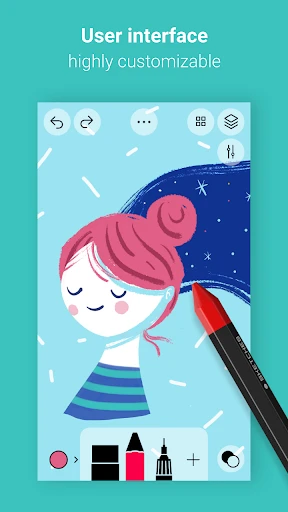
When you first open the app, you'll find a super simple and clean interface that feels just like a real sketchbook. This straightforward design is a huge plus, making it easy for anyone to start creating, whether you're just starting out or you've been drawing for years. It’s like an empty canvas, always ready for your next big idea.

A Whole Toolkit at Your Fingertips

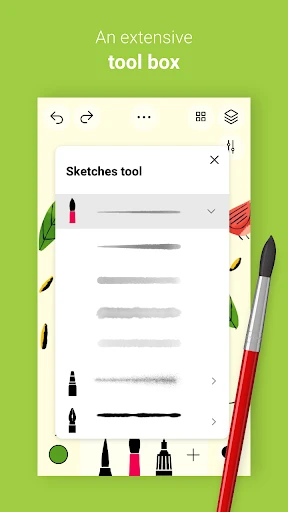
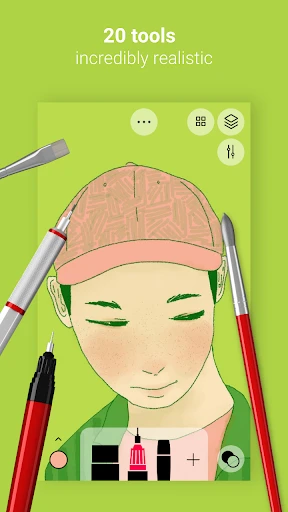
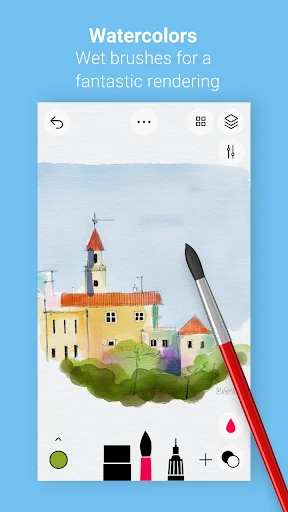
Right away, you'll see a massive selection of tools to play with. It has everything from pencils and brushes to a watercolor tool that acts like the real thing. There's even a ruler and a smudge tool, giving you a complete digital art kit. It’s like carrying a full art studio in your pocket!

The best part is how real the tools feel. The pencils have a texture that mimics real paper, and the watercolors mix and blend beautifully. It's these small, thoughtful touches that make drawing in the app so much fun.

Mastering Your Art with Layers

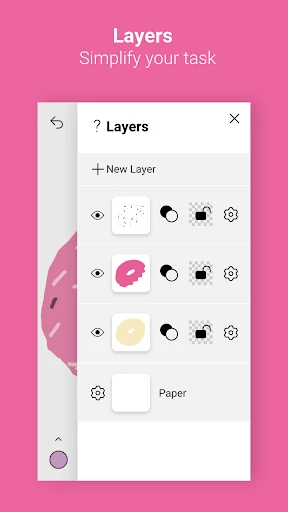
If you like to use layers in your work, you'll love the layering system here. You can add tons of layers, which is perfect for keeping different parts of your drawing separate. This is a lifesaver for more complicated pieces, as you can try new things without worrying about messing up your whole project.

Make It Yours and Share with the World

You can also customize the brushes and tools to get them just right for your personal style. And when your masterpiece is finished, sharing it is super simple. You can export your work in different file types or post it straight to your social media accounts, making it easy to show off your skills.

Plus, there's a great community side to the app. There's a built-in gallery where you can look at art from other users for inspiration. It’s a lively and supportive space where everyone shares and learns together.

In short, if you want to turn your paper sketches into digital creations, Tayasui Sketches is an app you should check out. With its easy-to-use design, realistic tools, and fun community, it's a top choice for creators at any level. So why not download it and see where your creativity takes you
Tayasui Sketches screenshot Tayasui Sketches screenshot Tayasui Sketches screenshot Tayasui Sketches screenshot Tayasui Sketches screenshot
Developer
Tayasui Sketches
Version
1.5.2
Installs
5,000,000+
Android Version
8.0
Content Rating
Everyone
Price
Free
Pros
  • Intuitive user interface
  • Wide range of brush tools
  • Smooth drawing experience
  • Supports layers for complexity
  • High-quality export options
Cons
  • Limited free version features
  • Occasional app crashes
  • No vector drawing support
  • Requires in-app purchases
  • Can be resource-intensive

Ratings

4.3

Similar Apps

[KNA008] COMBINE

[KNA008] COMBINE

4.3
Get
OpenSea: NFT marketplace

OpenSea: NFT marketplace

3.7
Get
Draw Cartoon - AR Drawing App

Draw Cartoon - AR Drawing App

4.4
Get
StoryFont for Instagram Story

StoryFont for Instagram Story

4.6
Get
Glitter Beauty Coloring Pages

Glitter Beauty Coloring Pages

3.7
Get
Leonardo.Ai - Image Generator

Leonardo.Ai - Image Generator

4.2
Get
Trace Drawing-Sketch and Paint

Trace Drawing-Sketch and Paint

4.5
Get
Tattoo AI - Tattoo Design

Tattoo AI - Tattoo Design

4.5
Get
Desygner: Graphic Design Maker

Desygner: Graphic Design Maker

4.7
Get
ArtistAI: AI Photo Generator

ArtistAI: AI Photo Generator

4.6
Get
Adobe Capture: Illustrator,Ps

Adobe Capture: Illustrator,Ps

4.6
Get

Frequently Asked Questions

What platforms is Tayasui Sketches available on?

Tayasui Sketches is available for both iOS and Android platforms, allowing users to enjoy sketching on a variety of devices, including smartphones and tablets. This cross-platform availability ensures that users can access their projects on any device, making it a versatile choice for artists who use multiple gadgets.

Does Tayasui Sketches support layers and blending modes?

Yes, Tayasui Sketches offers robust support for layers and blending modes. This feature is essential for artists who want to create complex artworks with multiple elements. The app allows users to manage layers efficiently, adjust opacity, and experiment with different blending modes, providing a professional-grade drawing experience.

Can I use Tayasui Sketches offline?

Tayasui Sketches can be used offline, which is great for artists who want to sketch without the need for an internet connection. This feature ensures that users can work on their projects anytime and anywhere, without being hindered by connectivity issues. However, some features might require internet access for updates or additional content.

Is there a free version of Tayasui Sketches?

Tayasui Sketches offers a free version with basic features, allowing users to try out the app before deciding to upgrade. The free version provides essential tools for sketching, but to access advanced features like additional brushes and tools, users need to purchase the Pro version, which enhances the app's capabilities significantly.

How user-friendly is Tayasui Sketches for beginners?

Tayasui Sketches is designed with a user-friendly interface that caters to both beginners and experienced artists. The intuitive design makes it easy for new users to navigate and start sketching right away, without a steep learning curve. The app also provides tutorials and guides to help users get acquainted with its features, making it an excellent choice for those new to digital art.